
MHA: UNITED SURVIVAL
KLabAction
4.6307.00 Reviews
- Version
- 1.0.5
- Installs
- 1.00M
- Age Rating
- Teen
Screenshots
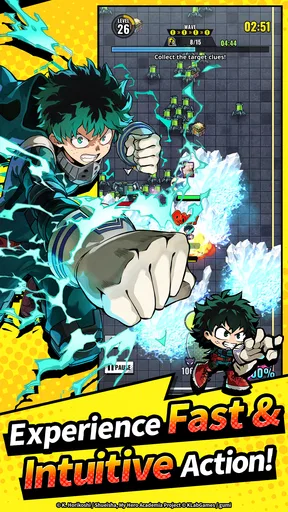
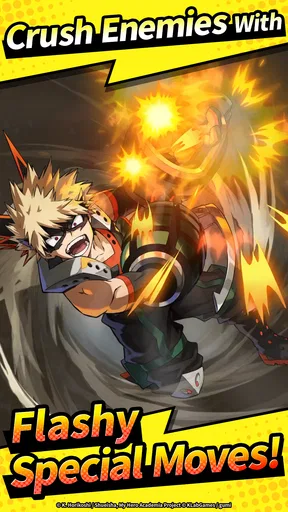


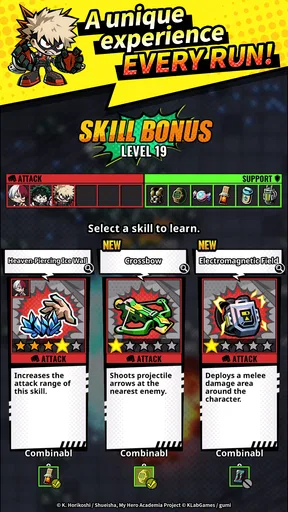
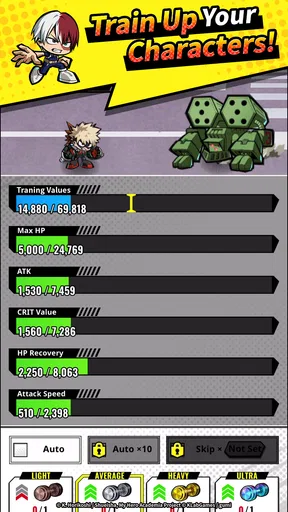
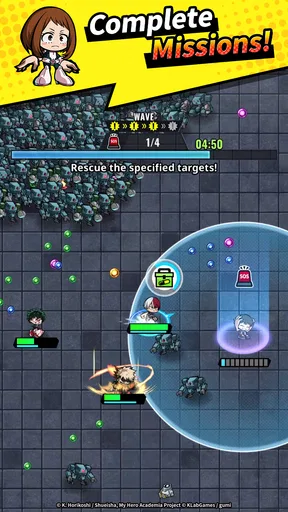

Our Review of MHA: UNITED SURVIVAL
 Analysis by Appyee
One point I would keep in mind before installing MHA: UNITED SURVIVAL is that a free download is not the same as a promise of a completely cost-free routine. I would approach it as a chance to try an anime action game without paying upfront, then decide whether its play style is worth returning to. That distinction is more useful than treating “free” as a verdict on value.
What free access does—and does not—settle
The game costs nothing to download, but optional in-app purchases range from $0.69 to $64.99 per item. Those are item prices, not a required entry fee, so a curious fan can start without committing to a purchase. I would still set a spending boundary before playing, particularly on a shared device: a low-cost item can make an impulse feel harmless, while repeated choices can add up.
That makes the value question personal. If I can enjoy the game while ignoring purchase prompts, the free access is a genuine advantage. If I feel pushed to spend to keep up or make progress comfortable, the value calculation changes. I would give it a few sessions before paying, rather than treating the first offer as evidence that a purchase is necessary.
How to tell whether the game earns a place on your phone
For me, a useful test is to notice what brings me back after the novelty of the My Hero Academia world wears off. Is the action itself enjoyable, or am I opening the game mainly because I feel I should collect or claim something? That small distinction helps separate lasting entertainment from a routine that feels like chores, and it costs nothing to make before deciding whether to spend.
A practical way to try it is to keep the first few visits focused: learn the controls, pay attention to how the game feels on your device, and notice whether the menus help you get into action or slow you down. I would avoid spending during that test. Once the basic experience feels comfortable, you can make a clearer judgment about whether any optional item adds something you personally want.
This is also a useful way to answer the question of whether it is suitable for short breaks. I would test it during a moment when I can give the opening screens and connection checks a little attention, rather than launching it while rushing out the door. If later sessions fit naturally into a break, that is a better sign of practical value than the game merely looking appealing on the store page.
My first impression of MHA: UNITED SURVIVAL is that it is aimed at players who want an action game with a familiar anime identity rather than a quiet, low-pressure mobile experience. The connection to My Hero Academia is the main attraction, while KLab gives the project a recognizable developer behind it. I approached it as the kind of game I might open for a short session, then checked how well that idea holds up when setup, loading, and everyday play become part of the experience.
The game is free to start, which makes trying it straightforward, but it includes optional purchases ranging from $0.69 to $64.99 per item. That difference matters: installing it costs nothing, yet a comfortable long-term experience may still depend on how willing you are to ignore offers and manage your spending. The Teen content rating also makes it a better fit for older players than for young children, especially when the device is shared or purchases are not protected.
Getting past the first points of friction
I’d use the first few sessions to separate small setup hassles from problems that actually affect play: note whether a delay happens once or keeps returning, and whether it appears on a stable connection. That makes it easier to decide whether the game fits your device and routine without rushing into troubleshooting or purchases. Once those basics feel settled, the more useful question is what kind of value the action and its anime setting offer you.
Why the opening session can feel less simple than expected
When an action game is built around a well-known series, it is easy to expect an immediate match, a quick tutorial, and a clear route into the main loop. In practice, the first session can feel slower because several things compete for attention: initial loading, account or connection checks, introductory instructions, and the need to understand what the game wants you to do next. I would not judge the combat or progression during the first few minutes alone.
A useful approach is to treat the opening as a setup phase. Read the important prompts instead of tapping through everything automatically, particularly anything involving purchases, saved progress, or a confirmation to continue. This is not exciting advice, but it prevents a common mistake: reaching the main screen without understanding whether progress is linked, which buttons begin play, or whether a reward has already been claimed.
If the screen appears stuck, I first wait long enough to distinguish a slow response from a genuine freeze. Repeatedly tapping the same control can create confusing results when the game catches up all at once. I also avoid switching rapidly between the game and other apps during the first launch. On a phone with limited free memory, that can make an ordinary loading delay look like a crash.
Checks I would make before blaming the game
The current release is version 1.0.5 and supports devices running Android 9 or later. That gives prospective players a simple first check: confirm that the phone or tablet meets the minimum operating-system requirement before spending time troubleshooting. Meeting that requirement does not guarantee perfect performance, but missing it is a clear reason to stop and look for another device.
I would also update the operating system and the game through the normal store process, then restart the device before trying again. A restart is especially worthwhile after a system update, a large download, or a long period with many apps left open. Keeping some storage free is sensible too, because a device that is nearly full can behave badly during installation or temporary file creation even when the app itself is not defective.
Connection quality deserves equal attention. If the game needs to communicate with online services during launch or play, a weak Wi-Fi signal can produce a loop that resembles an application error. My practical test is simple: try once on a stable Wi-Fi connection, then try a different reliable connection if one is available. I would not keep reinstalling after every failed attempt, because that can waste time and may complicate saved-progress recovery.
Protecting the first play session
Before settling into the game, I would check the device's purchase protections and make sure the store account is the one intended for the player. This is particularly important here because the game is free to download but sells individual items. A child using a family device should not be left to discover the purchase flow without supervision, and an adult who wants a strictly free experience should decide that boundary before the first tempting offer appears.
I also recommend playing the opening session while the device is charged and not overheating. Action games can make a phone work harder than a basic puzzle title, and heat can lead to reduced performance or faster battery drain. If the device becomes uncomfortable, pause and let it cool rather than assuming that every slowdown comes from the application. A cooler device is a better test of how the game actually performs.
What to do when progress or a session goes wrong
If a session ends unexpectedly, my recovery order is deliberately conservative. I reopen the game once, check whether the previous action completed, and avoid immediately repeating a purchase or a reward claim. When a connection drops at the wrong moment, a delayed confirmation can make it seem as though nothing happened, even though the server may still be processing the request.
For a gameplay interruption, I would record the useful details mentally or in a note: what screen was open, whether the device had lost connection, and whether the issue happened once or repeatedly. That information is far more useful than simply saying that the game “doesn't work.” It also helps separate a one-off interruption from a repeatable problem tied to a particular step.
Reinstalling is a last resort, not my first recommendation. Before doing it, I would make sure progress is connected or otherwise recoverable through the game's available account process. Losing local progress because of an impatient reinstall is a worse outcome than waiting for a temporary issue to clear. If the game opens normally after a restart, I would continue playing and watch for a pattern before taking more drastic action.
How I would build a low-friction routine
For a short daily session, I would open the game on a stable connection, let the home screen finish loading, and decide what I want to accomplish before jumping between menus. This reduces the feeling of being pulled through every notification or offer. I would also keep the first few sessions focused on learning the controls and the basic rhythm of action, rather than trying to optimize every reward immediately.
That routine is useful because licensed action games can overwhelm new players with presentation. The recognizable characters may make the interface feel familiar, but familiarity with the show is not the same as familiarity with the game's controls. I found that separating “learning how to play” from “deciding what to spend” makes the experience easier to judge fairly.
Where the game fits among action alternatives
Compared with a general action game, this title's strongest reason to exist is its My Hero Academia setting. If the characters and world are what motivate you to pick up your phone, that identity can make routine sessions more appealing than an original game with similar button presses. If you care mainly about responsive action, depth, or a completely self-contained offline experience, a non-licensed alternative may suit you better.
It is also different from a simple casual game. I would not choose it for someone who wants a title that can be understood instantly in a few seconds and ignored without consequence. The anime presentation creates expectations, and the free-to-start structure introduces the need to pay attention to offers and progression choices. In exchange, fans get a more specific reason to return than “there is another level waiting.”
The best comparison is therefore not “is it the biggest action game?” but “does its licensed identity justify the extra attention?” For a fan, the answer may be yes. For a player who wants minimal setup, no purchase prompts, and a completely neutral theme, another action game is likely the cleaner choice.
Who will enjoy it, and who should skip it
I would recommend giving it a chance if you already enjoy My Hero Academia, like action-focused mobile games, and are comfortable treating optional purchases as something to manage rather than something to chase. It is also a reasonable choice for someone who wants a free entry point before deciding whether the game deserves regular time.
I would skip it if you are looking for an offline-first experience, dislike licensed fan-service, or have very little patience for connection checks and introductory menus. I would also avoid installing it on an older or crowded device simply because the download is free. A free game that runs poorly or leaves no storage for other essentials is not a good bargain.
The Teen rating should guide the decision as well. Parents should consider both the age suitability of the content and the presence of in-app purchases. Those are separate questions: a player may be old enough for the theme but still need purchase restrictions on a shared device.
What the numbers suggest, without replacing hands-on judgment
The game has passed one million installs and holds a 4.5 average from roughly thirteen thousand ratings, with 296 written reviews. That is encouraging evidence that it has attracted a real audience, but it does not guarantee that it will run smoothly on every phone or suit every play style. Store ratings are useful for spotting broad appeal; they are less useful for predicting how your connection, hardware, and tolerance for monetization will affect your experience.
I read that response as a reason to try it carefully, not as a reason to ignore the practical checks. The free price lowers the barrier to testing, while the purchase range makes it sensible to establish limits early. The combination is attractive for curious fans, but it rewards a deliberate approach more than an impulsive one.
My practical verdict after weighing the trade-offs
After looking at the game as something I would actually keep on my phone, I see a focused proposition: an action title for My Hero Academia fans, developed by KLab, with a free starting point and optional spending layered into the experience. Its appeal comes from the license and the promise of action, not from being the easiest possible mobile game to pick up and forget.
My main advice is to judge it in a clean, controlled first session. Use a compatible device, connect reliably, keep the phone cool, read the early prompts, and protect purchases before handing the device to someone else. If a problem appears, restart and test the connection before reinstalling. Those steps will not solve every issue, but they prevent ordinary device or network trouble from being mistaken for a flaw in the game.
My recommendation is conditional but positive: fans should try it, while non-fans should be more selective. The free entry makes that test reasonable, and the strong rating suggests genuine interest from other players. Still, I would not recommend spending money until the controls, loading behavior, and long-term routine feel comfortable on your own device. For the right player, this is a worthwhile anime action game; for everyone else, the familiar setting may not compensate for the setup and purchase-management friction.
A sensible last check before deciding
One million installs and a 4.5 average from around thirteen thousand ratings point to interest, not a guarantee that the game will match your tastes. I would use the free entry to make my own call, paying attention to whether a normal session feels enjoyable without buying anything. If it does, the game may earn a place in your routine; if the setup or spending prompts dominate, stopping costs nothing.
Verdict
Strengths of MHA: UNITED SURVIVAL
- Features familiar My Hero Academia characters and abilities.
- Fast-paced battles are easy to learn for new players.
- Team-building offers variety through different hero combinations.
- Regular events can provide fresh objectives and rewards.
- Anime-inspired visuals capture the series’ energetic style.
Limitations of MHA: UNITED SURVIVAL
- Progress may become heavily dependent on upgrading characters.
- Combat can feel repetitive after extended play sessions.
- Some content may require strong teams or significant grinding.
- The large roster can make resource management complicated.
- Online features may be affected by connection or server issues.
Other Releases by KLab
View All
Bleach:Brave Souls Anime Games
Action3.9

Captain Tsubasa: Dream Team
Sports4.4
Similar Picks in This Category
View All
Temple Run 2: Endless Escape
Imangi Studios4.1

PUBG MOBILE
Level Infinite4.3

Free Fire: 9th Anniversary
GARENA INTERNATIONAL I4.4

Talking Tom: Hero Dash Run
Outfit7 Limited4.3

slither.io
Lowtech Studios3.9

Sniper 3D:Gun Shooting Games
Wildlife Studios4.6
Frequently Asked Questions
What is MHA: UNITED SURVIVAL?
MHA: UNITED SURVIVAL is a mobile survival and action game inspired by the My Hero Academia universe. Players face dangerous situations, explore environments, collect useful resources, and use character abilities to stay alive. The game combines combat, progression, and anime-themed content, making it appealing to fans who enjoy both survival mechanics and superhero-style battles.
How does the gameplay work in MHA: UNITED SURVIVAL?
The gameplay generally focuses on exploring the map, managing resources, completing objectives, and fighting enemies or other threats. You need to pay attention to your character’s condition, equipment, and available abilities while progressing. Battles can require more than simply tapping attacks, since choosing the right timing, movement, and skills may make a significant difference during difficult encounters.
Can I play MHA: UNITED SURVIVAL offline?
Whether MHA: UNITED SURVIVAL works offline depends on the specific version and features available on your device. Some basic content may load without a constant connection, but online functions, updates, account synchronization, advertisements, events, or multiplayer-related features may require internet access. It is best to check the store description and test the game after installation before relying on it offline.
Is MHA: UNITED SURVIVAL free to download and play?
MHA: UNITED SURVIVAL may be available as a free download, but free access does not always mean that every feature is completely free. Mobile games can include optional purchases, advertisements, premium items, or progression boosts. Before downloading, review the app-store listing and payment information carefully, especially if children will use the device or if in-app purchases are enabled.
What devices are compatible with MHA: UNITED SURVIVAL?
Compatibility can vary according to the game version, operating system, device model, and available storage. Newer devices with sufficient memory and processing power are more likely to provide stable performance, while older phones may experience longer loading times, reduced graphics quality, or crashes. Check the current Android or iOS store requirements and keep enough free space for updates and additional game data.
Play our best games!


